

Portal Guide
Portal Guide
The IZI Pay Portal helps merchants create payments, share references and links, track payment activity, and request support without needing developer tools.
Use this guide when you are working in the merchant portal and need a practical answer to "what should I do next?"
Choose the right payment flow
Pick the situation closest to your customer interaction.
Use Pagamento Rápido or Código QR.
Quick payment is best when you can enter the customer's mobile number. QR payment is best when the customer scans from their own phone.
What merchants normally do
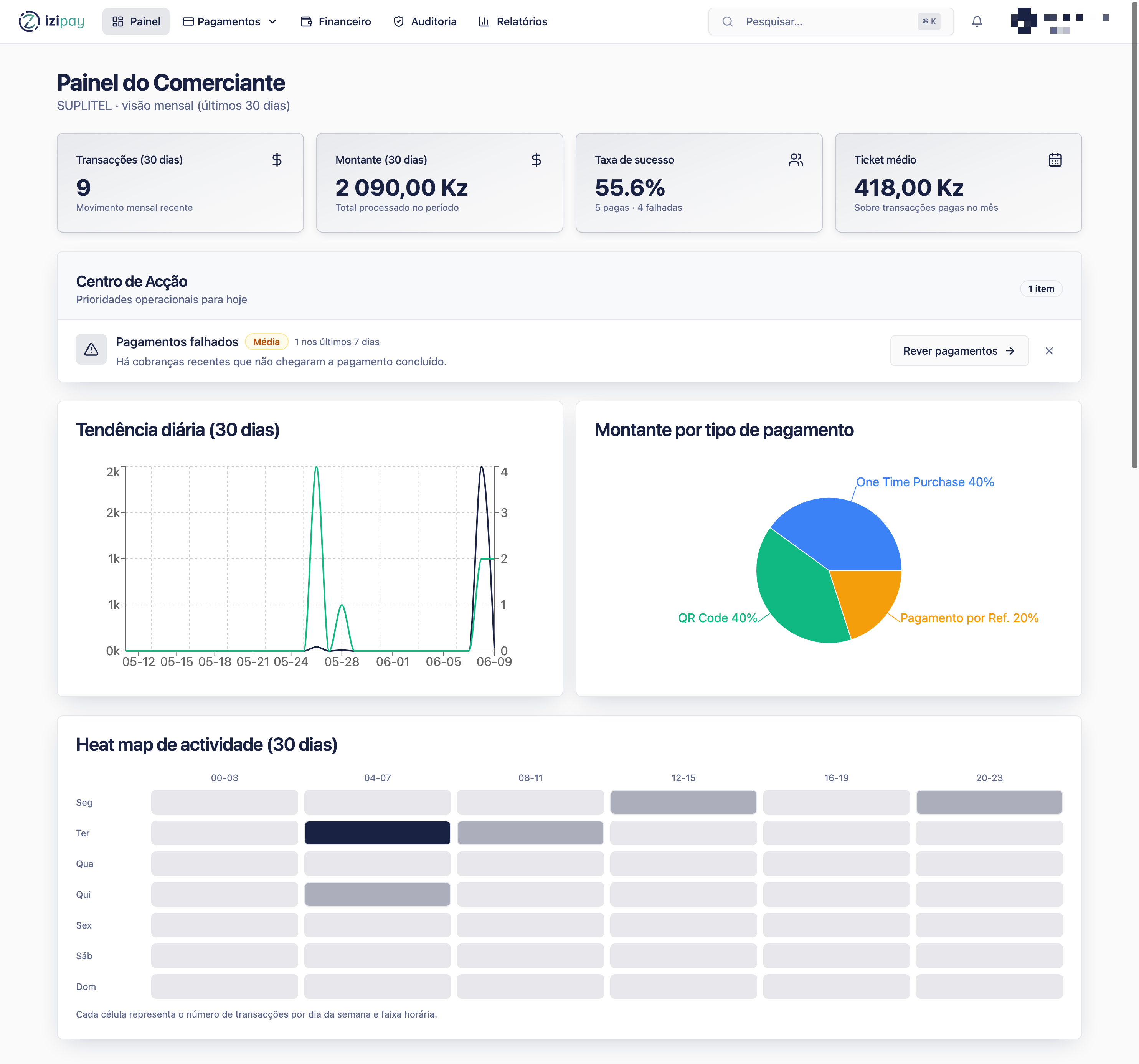
- Open Painel to check daily activity.
- Use Pagamento Rápido for a direct mobile payment request.
- Use Código QR when the customer should scan and pay.
- Use Referências to create and manage payment references.
- Use Links to create a payment link that can be shared with a customer.
- Use Histórico de Pagamentos to search, confirm, and review transactions.
- Use Reembolsos when an eligible payment needs to be returned.
- Use Financeiro to review financial activity and settlement context.
- Use Perfil, Definições, and Helpdesk for account, preferences, and support.
Merchant readiness checklist
0 of 4 complete
0%
Good operating habits
- Use clear customer names or notes when the form provides them.
- Copy payment instructions directly from the portal when available.
- Do not treat a payment as complete while it is still pending.
- Export or save transaction lists when you need offline reconciliation.
- Contact Helpdesk with the payment reference, amount, date, and customer phone number when reporting an issue.
Where to go next
Start with Create a quick payment if the customer is present, or Create and manage references if you need payment instructions the customer can use later.
Last modified on